How to make a floor plan from an iPhone LiDAR scan

Recent iPhones and iPads carry a LiDAR scanner (the same depth sensor used for AR), and it's accurate enough to turn a two-minute walkthrough into a clean, measured floor plan. Here's how the whole process works.
What you need
- An iPhone or iPad with a LiDAR sensor. That's any Pro iPhone from the iPhone 12 Pro onward (Pro and Pro Max), and iPad Pro models from 2020. The non-Pro iPhones don't have LiDAR (see what LiDAR on the iPhone is and which models have it, and how to use LiDAR on iPhone for what else the sensor does).
- iOS 26 or later.
- A scanning app. This guide uses FloorLens, which is free to scan, measure and export.
Step 1 — Scan the space
Open the app and start a scan. Hold the device up and walk slowly along the walls, keeping the sensor roughly 1–2 metres from surfaces. Take your time at corners, doorways and windows, since those are the edges that define the plan. FloorLens shows live coverage feedback while you move and highlights any areas that still need a better pass, which beats discovering a gap after you've left the property.
For a single room this takes under a minute; a whole apartment is usually a few minutes of unhurried walking.
Step 2 — Your floor plan and 3D scene are ready instantly
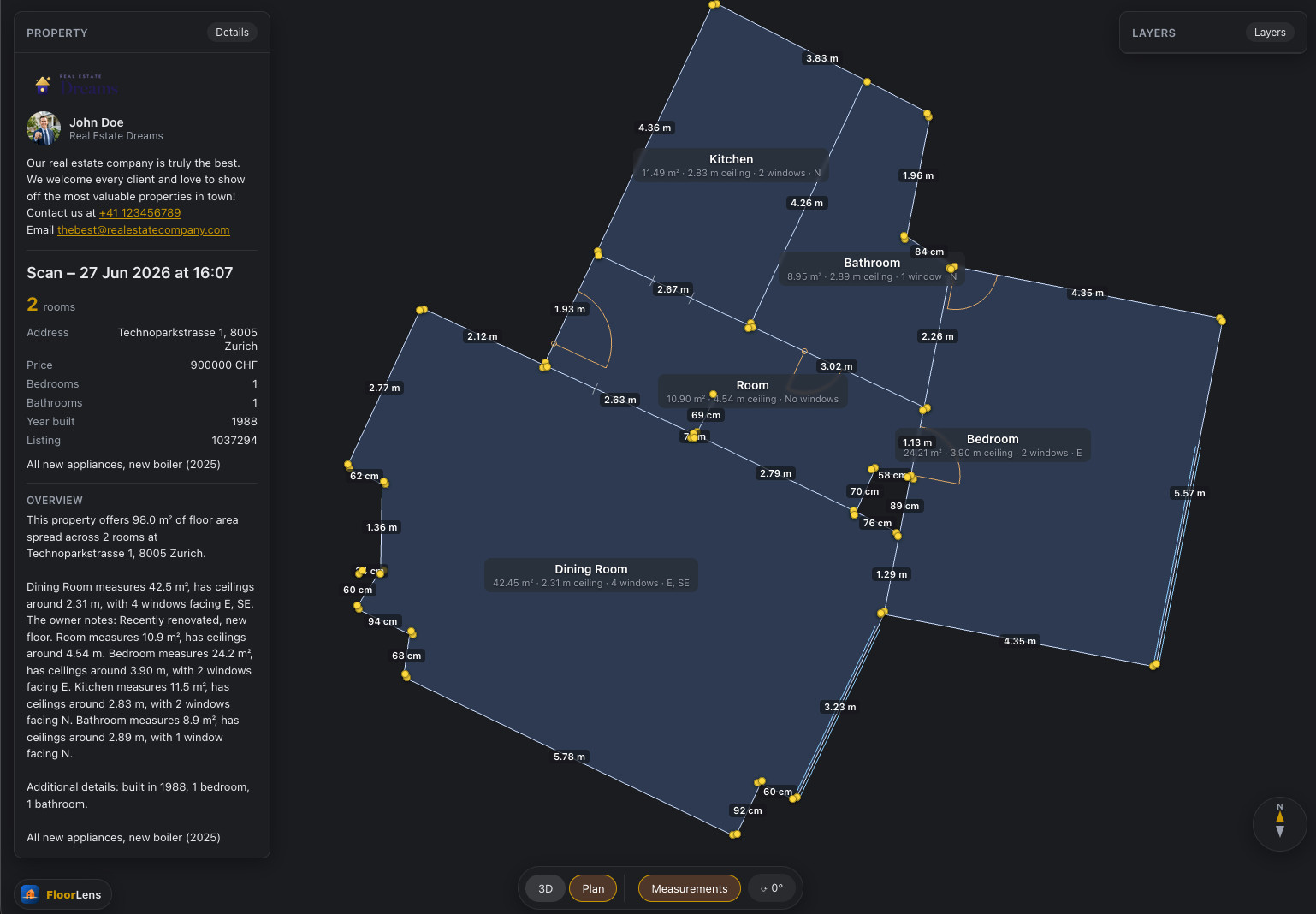
There's no separate "generate" step and no waiting. The moment the scan finishes you have both a clean, north-aligned floor plan and an editable 3D scene of the same space. FloorLens uses the device's compass so the drawing faces the real world, right down to magnetic north, and it already includes room areas, ceiling heights, door swings and window placements.
Measurements come for free, too. Wall lengths, room areas, ceiling heights, and object dimensions and footprints are all computed automatically for every element, so the tape measure stays in the drawer.
Step 3 — Review and edit, in either view
Give the result a quick review and tidy anything the scan missed. You can add, remove, move, rotate or resize walls and objects, and set a door's swing or sliding direction. Usefully, you can edit in either the floor plan or the 3D scene, and a change in one is reflected in the other. The two views never drift apart. A minute of cleanup makes the finished plan look professional. Add room names, notes and property details (address, price, bedrooms) so it's ready to hand to a client.
Step 4 — Export or share
You have two ways to get the plan out of the app:
- Export a file. A print-ready PDF with the plan, measurements and property info, or the current view exported as JPG, PNG or SVG. The 3D model exports too, as GLB, USDZ or OBJ.
- Share a web link. Upload the scan and you get a link plus a QR code. Whoever you send it to opens a fast, browser-based 3D viewer with dollhouse, floor-plan and first-person photo modes. It works on a phone or a laptop, and there's nothing to install or sign into.
The web share is the part clients actually care about. Instead of a flat PDF, they get an interactive 3D walkthrough in one tap. On the free plan you can keep one scan shared on the web at a time (it auto-deletes after 14 days); paid plans keep more, for longer. The steps are in how to share a 3D home tour link.
Tips for a clean scan
- Scan in even lighting and open the blinds. LiDAR doesn't need light to measure, but it helps the photo textures.
- Declutter a little; a clear floor and walls give tidier geometry.
- Walk the full perimeter of each room rather than standing in the middle.
- Face window walls straight on so openings are captured cleanly.
- If coverage feedback flags a thin area, do a slow second pass over it.
How accurate is it?
iPhone LiDAR is typically accurate to within a few centimetres across a room (how accurate iPhone LiDAR is covers what moves that figure), which is more than enough for real estate listings, rental ads, space planning and renovation quotes. It isn't survey-grade for legal or construction sign-off. For advertising and planning a home, though, it's fast and repeatable, and the results hold up.
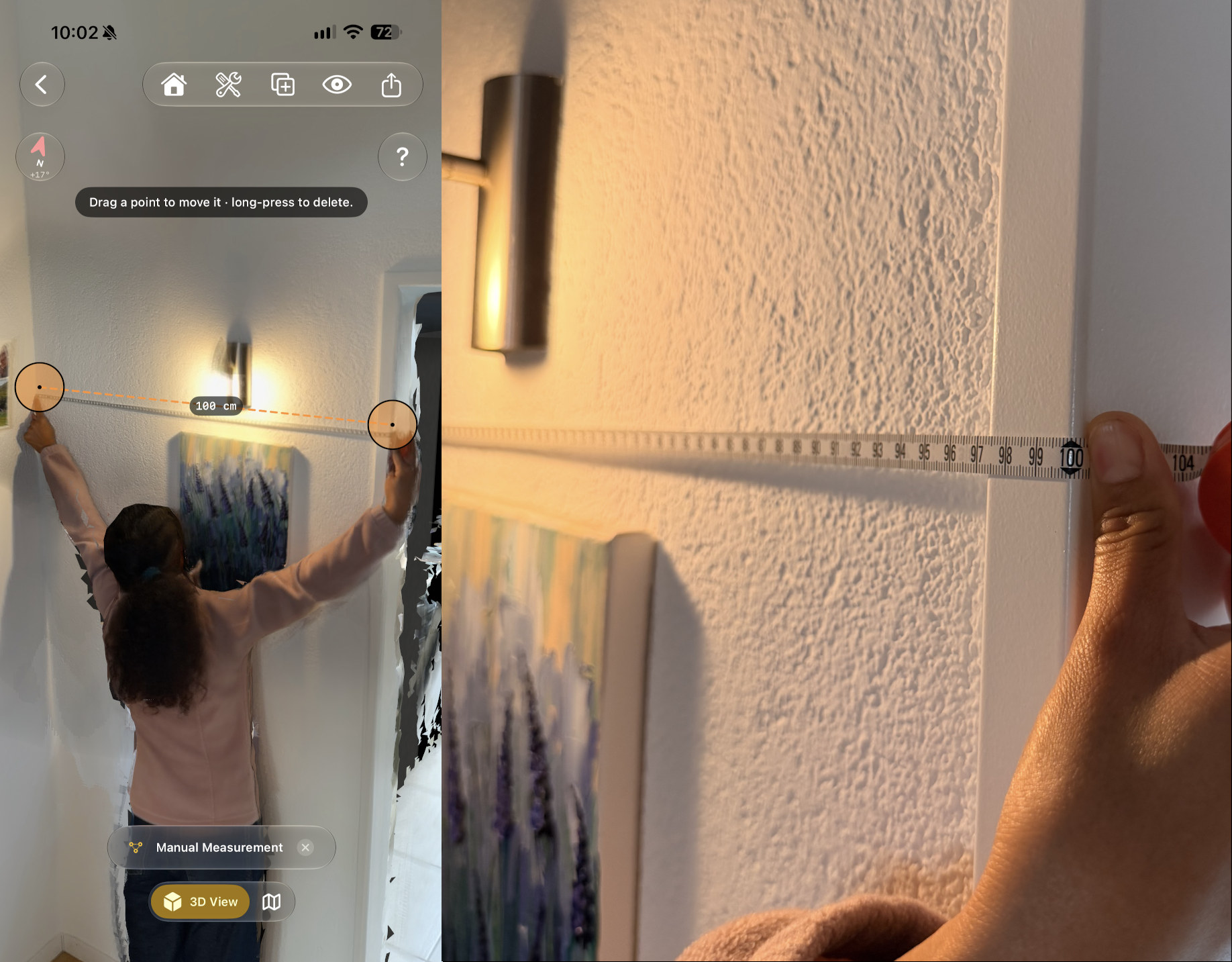
Two things keep it that way. The depth readings stop at 5 metres, so in a large room walk towards the far walls instead of scanning them from the middle. And you can check any scan yourself: measure one wall with a tape, then measure the same stretch in the scan with the manual measurement tool.
Turn your next room into a shareable 3D plan
FloorLens is free to scan, measure and export. iPhone & iPad with LiDAR, iOS 26+.
Download on the App Store